
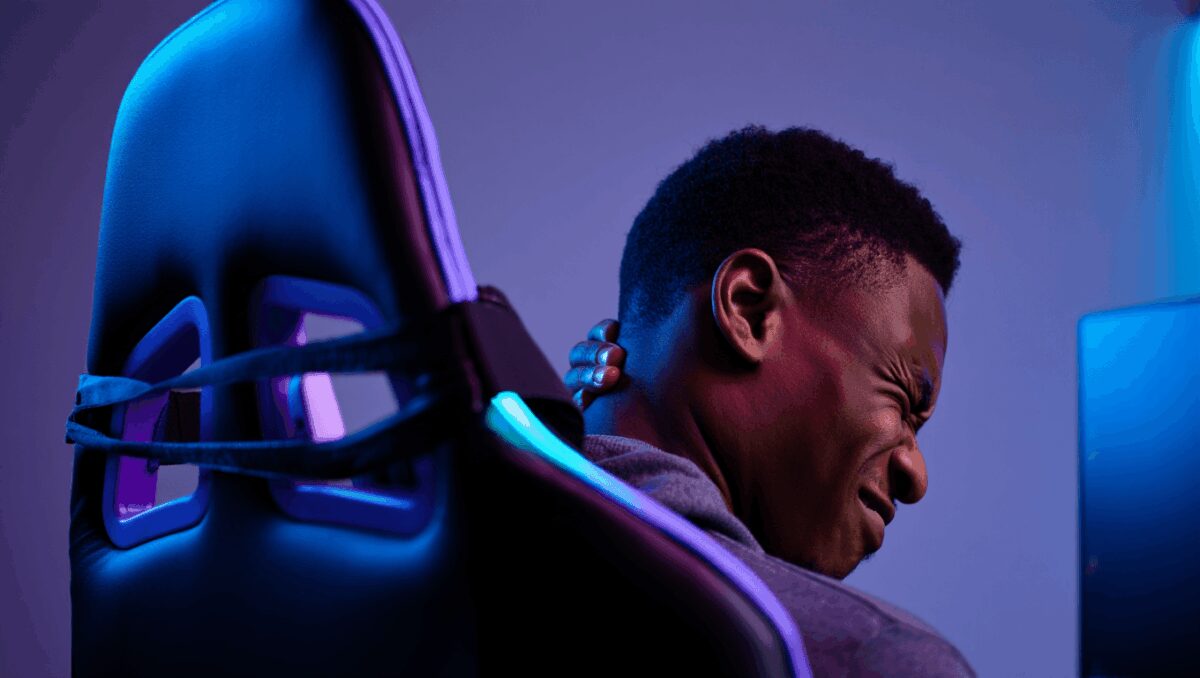
Razer’s new Soma Chroma aims to stand out by adding full-colour lighting to a mid-range gaming chair, but its headline feature doesn’t fix what matters most for people who sit for hours: support. For anyone weighing style against long-term comfort, the chair’s aesthetic wins are undercut by limited ergonomics and clumsy software control.
Edifier G5 Max: 305-hour battery and immersive gaming sound for a surprisingly low price
Asus ROG Swift OLED: blazing OLED display promises competitive gamers a clear edge
The Soma Chroma sits between Razer’s Iskur and Enki models in price and ambition. At roughly $499 / £499, it delivers sturdy construction, a plush seat and padded armrests — and an RGB system that’s more prominent than on most rivals. But the package leaves out two fundamentals: reliable neck support and adjustable lumbar care. That trade-off is important today as many users blend gaming and remote work, making healthy posture a daily requirement rather than an optional accessory.
Quick specs
| Price | $499 / £499 |
| Recommended user height | 5’3″–6’6″ |
| Maximum load | 331 lbs |
| Seat height range | 16–20 inches |
| Backrest height | 33 inches |
| Cover material | Fabric (unspecified) |
| Warranty | 3 years |
What it does well
Razer built the Soma Chroma like a product expected to last. Panels feel dense rather than thin, the foam in the seat is generous, and the finishing is mostly free of brittle plastics. The assembly process is straightforward for anyone used to flat-pack furniture, and while some parts are heavy, the instructions are clear.
The seating surface is one of the chair’s genuine strengths. The cushion is thick and gives a soft, supportive feel that stayed comfortable across extended sessions. Similarly, the armrests are cushioned — a welcome counterpoint to the rigid, uncomfortable rests found on many budget competitors.
Lighting is the obvious talking point. The RGB accents are powered via USB-C, so you’ll need an external source if you want illumination: wall, PC or a compact power bank tucked into a discreet rear pocket. That pocket keeps any power bank out of the way and prevents cables snagging the casters as you move.
Where it falls short
Despite the positive points above, the Soma Chroma’s weaknesses are structural and immediate for long-time users.
Lumbar and neck support — Razer markets the chair as having lumbar support, but in practice the backrest offers only a shallow curve rather than an adjustable or contoured support element. There is no factory neck cushion or built-in headrest adjustment, so users who need upper-spine support must buy an add-on. After several hours of use I experienced neck and upper-shoulder strain; for people who already rely on posture aids, this chair is unlikely to be sufficient on its own.
Adjustability — You can change seat height, recline angle, armrest height and swivel, but more fine-grained options are missing. The chair lacks seat-depth adjustment, forward/back arm sliders and an adjustable lumbar mechanism. The recline has a solid, heavy feel, but on some units the free-recline required much more force than expected.
Software and connectivity
The Soma Chroma can be controlled via onboard buttons or through Razer’s Synapse software using the provided 2.4GHz dongle. In theory, that gives more lighting options; in practice, the experience was frustrating.
- Installation is cumbersome and sometimes unreliable on first run.
- The app can be slow to recognise the chair after a reboot, requiring the dongle to be re-plugged to re-establish control.
- Lighting changes made in the app occasionally reverted after a short time or when the app was closed, which forces users to keep Synapse running if they want persistent customisation.
For anyone buying a chair primarily for its RGB, the software reliability — or lack of it — is a meaningful downside.
Summary: who should consider the Soma Chroma?
The Soma Chroma is a sensible choice if your priority is a stylish, well-made gaming chair with a comfortable seat and visible lighting, and you plan to use it mainly for casual game nights or short work sessions. But for daily multi-hour use where spine and neck health matter, the chair’s minimal adjustable support is a problem.
- Good for: buyers who value build quality, a soft seat and integrated RGB in the mid-price bracket.
- Not ideal for: people who sit for long stretches, need targeted lumbar or cervical support, or want hassle-free companion software.
Alternatives to consider
If support is your top priority, look at chairs that include adjustable lumbar or a head pillow as standard. Razer’s own Iskur model offers stronger integrated lumbar support. Hybrid mesh office chairs and ergonomic designs from established office-makers typically deliver better long-term comfort than many gamer-branded seats at similar or slightly higher price points.
In short: the Soma Chroma brings Razer-style visuals and a comfortable cushion to the mid-range market, but it trades away the adjustments and support that matter most for heavy users. If you spend long hours at your desk, the extra investment in a chair with true ergonomic features will likely pay off in reduced discomfort over time.

Annabelle Ink is a gaming journalist and lifelong gamer who lives and breathes video game culture. From console releases to esports tournaments, this dedicated journalist brings insider knowledge and genuine enthusiasm to every review and feature. Her expertise spans multiple gaming platforms, helping readers discover their next favorite game while staying connected to the pulse of the gaming industry.