
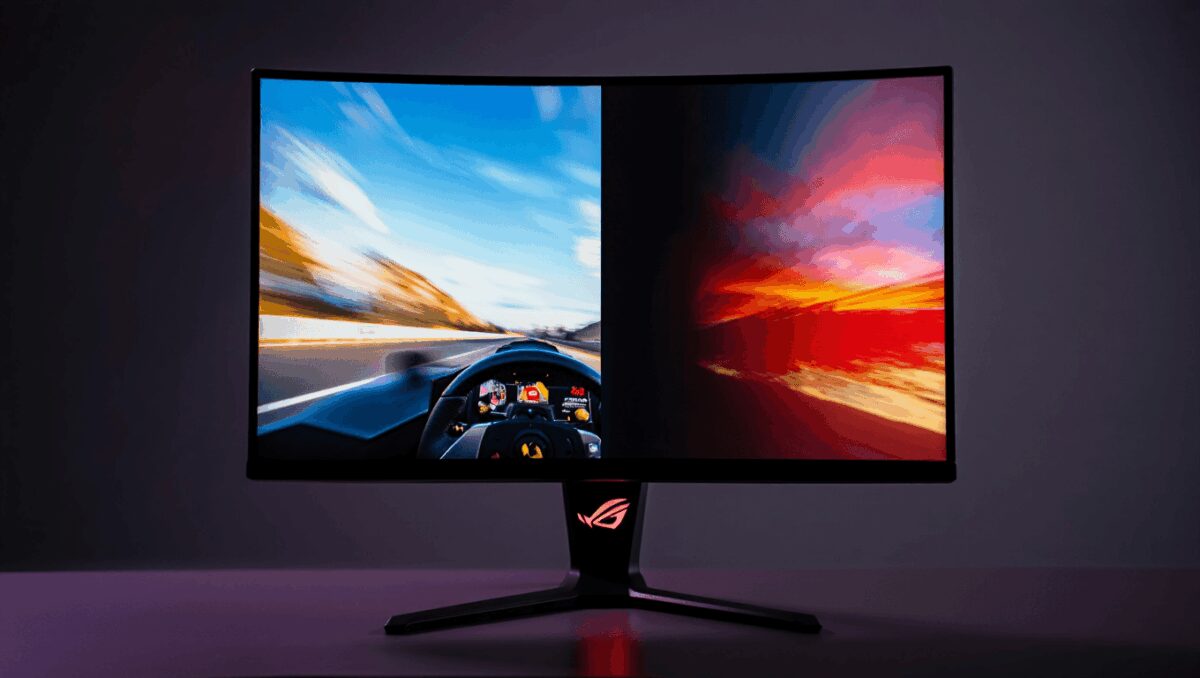
The Asus ROG Swift OLED PG34WCDN aims to bridge a familiar trade-off: ultra-fast responsiveness for competitive play with the deep contrast and color richness of OLED. For players and creators who want both speed and striking visuals, this curved 34‑inch display delivers — but it demands a premium price to match.
Doug Cockle marks 21 years as Geralt’s voice: why he still loves the role
Nintendo Switch: 15 games that survived 1,000 hours of play
The monitor’s curved 34‑inch OLED panel and 21:9 aspect ratio pull you into games and movies, while a 360Hz refresh rate and sub‑millisecond response time keep fast action crisp. Below I break down what stands out, where it stumbles, and the numbers behind the claims.
Quick takeaways
- Who should consider it: competitive gamers and single‑player fans who want top-tier motion handling plus superior contrast and color.
- Main drawbacks: steep cost compared with similar ultrawide OLED options.
- Bottom line: One of the most compelling gaming monitors available today if you can justify the $1,299 price tag.
Switch controller outperforms the official model: nearly $50 cheaper
Halo remake delivers a polished PS5 upgrade but fails to justify itself
Key specifications
| Spec | PG34WCDN |
|---|---|
| Panel | 34″ OLED, 800R curved |
| Resolution | 3440 × 1440 (21:9) |
| Refresh rate | 360Hz |
| Response time | ≈0.03 ms |
| Ports | 1× DisplayPort, 2× HDMI, 1× USB‑C, 3× USB‑A, headphone jack, optical (S/PDIF) |
| Size (with stand) | 30.9 × 21.6 × 11.5 in |
| Weight | ≈18.5 lb (with stand) |
| MSRP | $1,299 |
What the numbers reveal
Lab testing confirms this monitor’s strengths: saturated color reproduction and strong HDR peak levels in small highlights. In default settings the panel covers substantially more than the 100% target in both sRGB and DCI‑P3 volumes, producing punchy, vivid visuals out of the box.
| Metric | Measured result |
|---|---|
| Brightness (typical) | ~260 nits (native) |
| HDR peak (10% window) | ~450–480 nits |
| Full‑screen HDR | ~280 nits |
| sRGB coverage | ~201% |
| DCI‑P3 coverage | ~142% |
| Delta‑E (color error) | ~0.26 (default) |
Two implications stand out: first, HDR highlights can be substantially brighter than many gaming displays that struggle to exceed 300 nits, and second, the color volumes are tuned to be vivid — perhaps a touch oversaturated for color‑critical work unless you switch to a calmer picture profile.
Design and ergonomics
The chassis reads unmistakably as a gaming product: dark finish, sharp angles and configurable RGB accents. Asus includes a subtle projected logo under the stand that adds atmosphere without being intrusive.
The stand is practical: cable routing is built into the riser, height adjustment is smooth and the screen tilts and swivels to conventional ranges (tilt is biased toward a forward‑friendly angle). Because of the monitor’s width you may need to reach around or rotate it to access rear ports.
Performance in play
On the bench and in gameplay the PG34WCDN does what its spec sheet promises. The combination of 360Hz refresh and near‑instant response keeps motion crisp and streak‑free, and Nvidia G‑Sync support eliminates obvious tearing.
I tested the monitor with a high‑end gaming laptop equipped with an RTX 5080 and ample CPU/RAM. Fast multiplayer shooters benefited most from the frame‑rate headroom; single‑player titles like Cyberpunk 2077 also looked spectacular thanks to deep blacks and saturated neon tones afforded by OLED.
OSD and controls
Asus keeps the on‑screen controls straightforward. A joystick sits centrally behind the bottom bezel, providing quick access to picture modes, lighting controls and fine adjustments. The menu exposes genre presets (FPS, RTS, Sports, etc.) and a handful of HDR and console modes; the layout is denser than some rivals but remains navigable.
Pros and cons
- Pros: Exceptional contrast and color from OLED; blistering refresh rate; solid HDR highlights for an OLED gaming screen; flexible ergonomics and tidy cable management.
- Cons: Price is high versus alternatives; default color tuning leans oversaturated; rear ports can be awkward to reach because of the size.
How it compares
The most obvious alternative is Dell’s Alienware AW3426DW, which offers a similar 34‑inch, 3440×1440 ultrawide OLED experience at a lower cost (around $799) but with a lower 280Hz cap and a gentler curve. For users who prioritize absolute frame‑rate ceiling, niche LCD models now push into 500–720Hz territory on smaller panels, but they do so at the expense of deep blacks and color depth.
So the question is practical: do you need the extra refresh headroom and the ROG feature set enough to justify an added $500 over the Alienware? If you chase every millisecond in tournaments, it can make sense. For most players, the competitor delivers a similar visual experience for less.
Verdict
The Asus ROG Swift OLED PG34WCDN proves you don’t have to surrender image quality to get competitive performance. It’s a polished, powerful ultrawide that pairs OLED‑level contrast with a refresh rate normally reserved for high‑speed LCDs. If your budget permits and you want a single monitor that handles both esports titles and visually rich single‑player games, it should be near the top of your shortlist.
Price reminder: $1,299 — a meaningful premium, but one that buys a rare combination of speed and picture quality in a 21:9 OLED package.

Annabelle Ink is a gaming journalist and lifelong gamer who lives and breathes video game culture. From console releases to esports tournaments, this dedicated journalist brings insider knowledge and genuine enthusiasm to every review and feature. Her expertise spans multiple gaming platforms, helping readers discover their next favorite game while staying connected to the pulse of the gaming industry.