
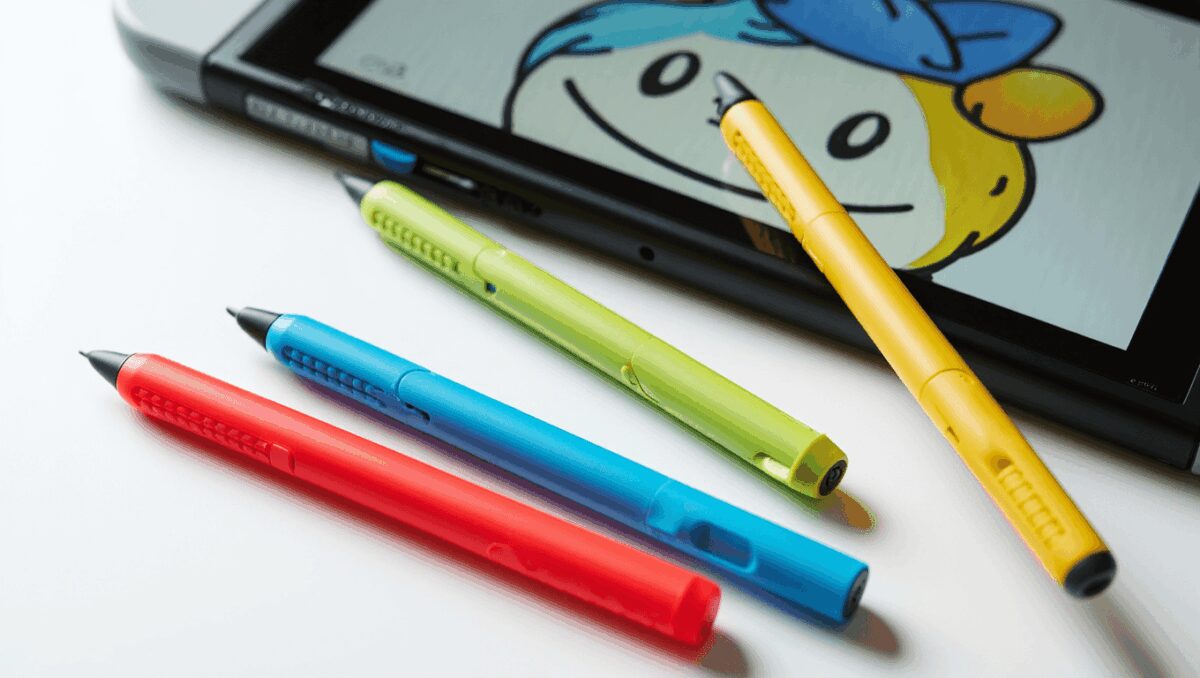
The recent arrival of Tomodachi Life: Living the Dream has put a spotlight on a small but essential accessory for Nintendo Switch owners: the stylus. With the game inviting players to hand-draw Mii faces, outfits and home décor, many players are choosing a stylus for greater control and cleaner results on the console’s touchscreen.
Why a stylus matters now
PS5 controllers: 6 picks that instantly upgrade your gameplay
Nintendo Switch 2: best controllers to replace Joy-Cons
Pixel-level editing in character creation makes a big difference in how your Mii looks and how much time you spend perfecting details. Using a finger works, but a stylus gives steadier lines, finer strokes and less smudging — which is why demand has risen since the game launched.
What to look for
Gaming headphones now double as serious music gear: open-back models make spare cans unnecessary
Switch 2 games: 11 new May releases, 2 must-play titles
You don’t need a proprietary accessory tied to Nintendo to get good results. Many capacitive styluses built for phones and tablets will work on the Switch’s glass display. Focus on three practical attributes:
- Tip precision — smaller, more accurate tips reduce the need for undoing or reworking lines.
- Visibility — transparent disc-style tips let you see exactly where the contact point meets the screen.
- Comfort and balance — a stylus that feels natural in your hand will reduce fatigue during longer creative sessions.
Stylus types at a glance
| Tip style | Strengths | Limitations | Best for |
|---|---|---|---|
| Disc (transparent) | Accurate contact point; excellent visibility for fine drawing | Fragile discs can detach; needs care to avoid lifting | Detailed facial features, clothing patterns |
| Fiber or mesh | Durable; smooth glide across glass | Less pinpoint accuracy than disc tips | Sketching, general navigation |
| Rubber (capacitive) | Sturdy and inexpensive; good for broad strokes | Bulky tip can obscure fine detail | Quick edits, younger players |
Price ranges vary, but functional models typically sell for under $15. The simplest way to test compatibility: if a stylus responds on your phone or tablet, it will usually work on the Switch screen as well.
Quick buying checklist
- Choose a tip style that matches how precise you need to be — disc tips for exact work, fiber for durability.
- Look for a comfortable weight and grip; longer sessions benefit from a slightly heavier barrel.
- Check for spare tips or replaceable parts if you plan heavy use.
- Avoid metal-tipped pen-like objects that aren’t designed for capacitive screens; they may scratch the display.
Beyond Tomodachi Life, a good stylus is useful across other Switch titles and creative modes — from designing custom outfits in Animal Crossing to level editing in platform builders. Investing in the right tip can make those creative tasks less fiddly and more enjoyable.
Care and technique
To protect your screen and extend the life of the stylus, wipe both stylus tip and display regularly with a soft cloth. When drawing, keep the hand posture relaxed: rest your palm lightly or use a small wrist motion rather than rigid arm movements. If your chosen stylus has replaceable tips, carry spares; discs and mesh tips wear down with repeated use.
In short: if you want sharper lines and less frustration while customizing Miis in Tomodachi Life, a modestly priced capacitive stylus—especially one with a disc tip—is a practical upgrade that pays off immediately.

Annabelle Ink is a gaming journalist and lifelong gamer who lives and breathes video game culture. From console releases to esports tournaments, this dedicated journalist brings insider knowledge and genuine enthusiasm to every review and feature. Her expertise spans multiple gaming platforms, helping readers discover their next favorite game while staying connected to the pulse of the gaming industry.