
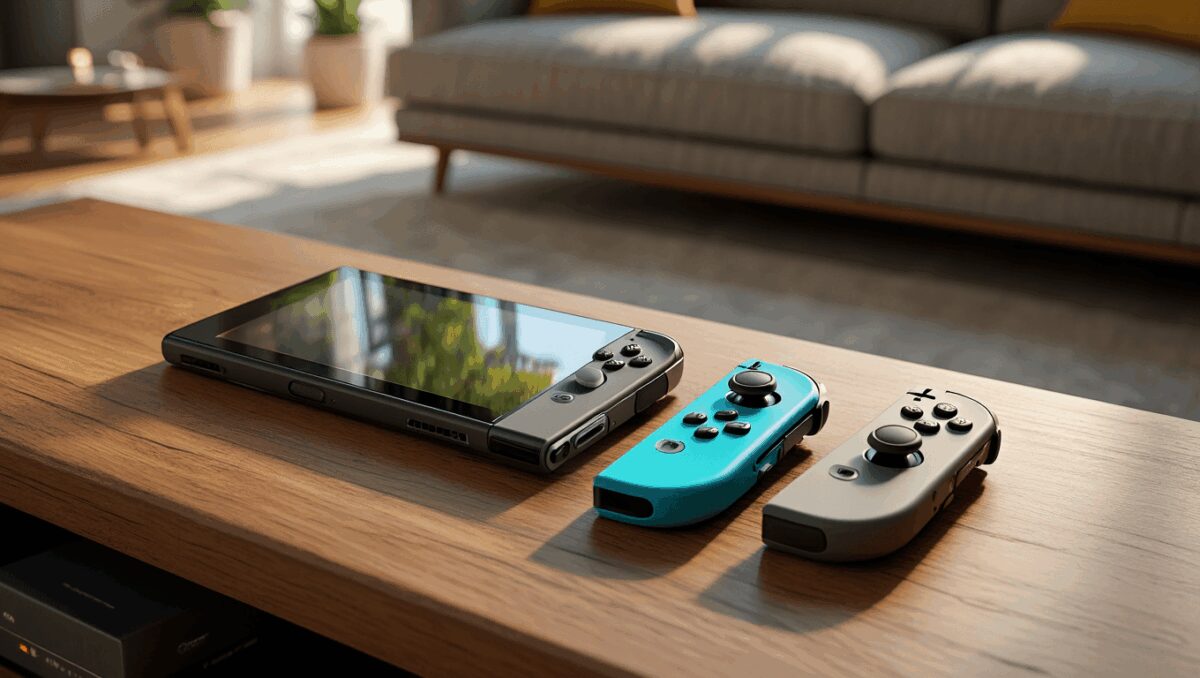
If you’re spending more time on a Nintendo Switch 2 this year, the default Joy‑Cons may not be the best fit for every session. For many players, a dedicated controller brings steadier aim, longer battery life and a more comfortable grip — important differences for competitive play or extended marathons.
Gaming headphones now double as serious music gear: open-back models make spare cans unnecessary
Switch 2 games: 11 new May releases, 2 must-play titles
As the library for the Switch 2 grows, so does the market for gamepads. Below are practical options and the trade-offs to weigh now, so you can pick a controller that matches how you actually play.
Controllers worth considering
- Nintendo Switch 2 Pro Controller — Roughly $89. The obvious first‑party choice: solid build, consistent compatibility and a familiar layout for docked gaming.
- 8BitDo Ultimate 2 — Around $60. Known for customization and button remapping; a strong pick if you want tailored profiles and multi‑platform use.
- GameSir G8 Plus — About $100. A hybrid mobile controller that can cradle the console; notable for comfortable grips and a phone‑style form factor that works well on the go.
- GameSir Super Nova — Typically $50. Focuses on precision with **Hall Effect** sensors in sticks and triggers, which reduce drift and improve long‑term accuracy.
- Turtle Beach Rematch Wireless — Often discounted into the $30–$40 range. A budget wireless option with visual flair and a long advertised **battery life**.
- Turtle Beach Afterglow Wave — Mid‑range, emphasizes style and comfort for casual players who want something more distinctive than Joy‑Cons.
Nintendo Switch accessories revamp cozy gaming spaces: essential picks for Tomodachi Life fans
Steam controller unboxing leaks online ahead of release: what buyers need to know
Why consider a third‑party pad?
Most third‑party controllers aim to solve two common issues: the Joy‑Cons’ small size for long sessions and the risk of **Joy‑Con drift** over time. Controllers with larger grips and more substantial housings reduce hand fatigue and often feel more stable during precision play.
Another practical advantage is component choice. Controllers using **Hall Effect** joysticks or higher‑grade switches tend to keep their calibration longer than cheaper analog parts — a meaningful long‑term benefit for frequent players.
Key factors to weigh before you buy
Not every controller is right for every player. Ask yourself the following:
- Budget: How much are you willing to spend? You can find decent third‑party controllers well below the cost of first‑party hardware.
- Primary use: Docked multiplayer, handheld on the couch, or travel? Mobile‑style controllers (like the G8 Plus) serve different needs than studio‑style pads for competitive play.
- Longevity: Look at stick technology and build quality — Hall Effect components and metal switches last longer.
- Battery and connectivity: If you play long sessions, check quoted battery life and whether the controller supports wired play for zero latency.
- Features: Do you need motion controls, gyro aiming, remappable buttons or a wired option for PC?
Below is a concise comparison to help you match features to priorities:
- Precision: GameSir Super Nova, 8BitDo Ultimate 2
- Comfort for long sessions: GameSir G8 Plus, Nintendo Pro
- Best value: Turtle Beach Rematch Wireless (when discounted)
- Customization: 8BitDo Ultimate 2
Final checklist before checkout
Before you hit buy, try to test a controller in person if possible. If that’s not an option, look for hands‑on reviews that stress durability and real‑world battery tests rather than only advertised specs.
Ultimately, choose the controller that matches how you play: go for precision and durable parts if you’re competitive; pick comfort and battery life for long single‑player sessions; and prioritize portability if you mainly play on the move. A small investment in the right pad can change how enjoyable the Switch 2 feels day to day.

Annabelle Ink is a gaming journalist and lifelong gamer who lives and breathes video game culture. From console releases to esports tournaments, this dedicated journalist brings insider knowledge and genuine enthusiasm to every review and feature. Her expertise spans multiple gaming platforms, helping readers discover their next favorite game while staying connected to the pulse of the gaming industry.