
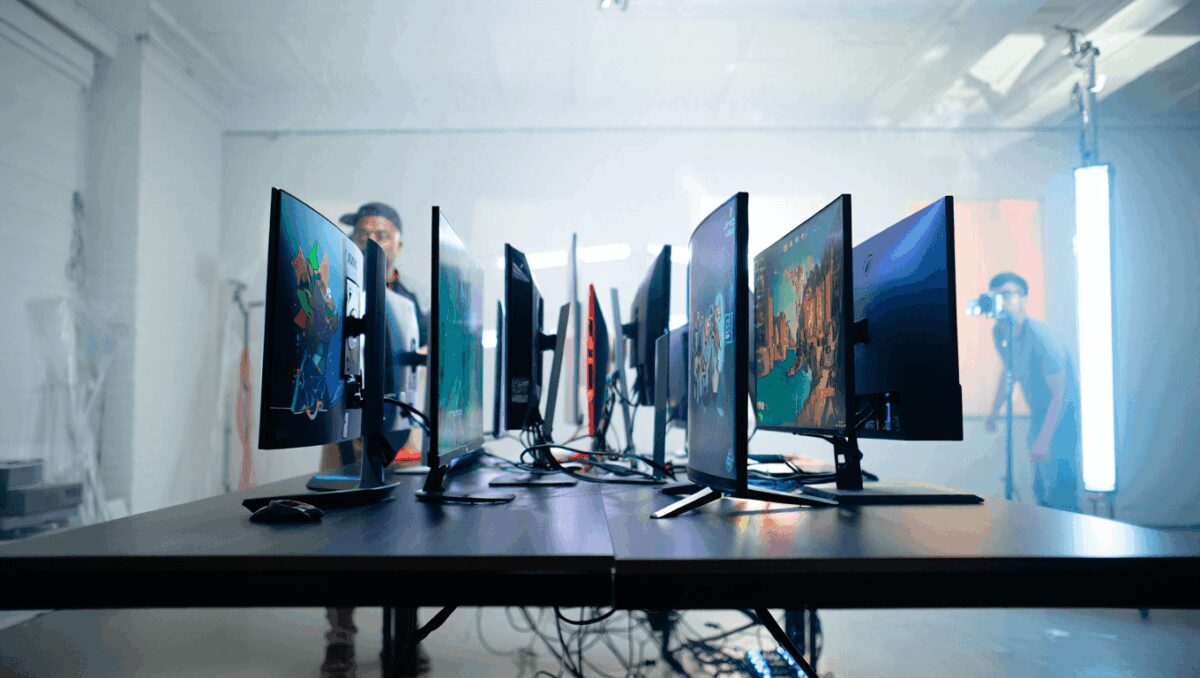
OLED and QD‑OLED panels, ultrawide formats and refresh rates that once sounded absurd are now mainstream — and that matters because the monitor you pick today will shape how games look and feel for years. With several recent releases and notable price drops, now is a good moment to reassess which display fits your PC or console setup.
GTA 6 free via Microsoft Rewards: how to earn enough points fast
Assassin’s Creed Black Flag Resynced redefines pirate gaming: new gold standard
Below are the monitors our reviewers singled out for different priorities: overall balance, value, extreme refresh rates, size and console compatibility. Each write-up emphasizes the practical trade‑offs — what you gain in motion clarity, color fidelity or connectivity, and what you might be giving up in brightness, ports or price.
The top picks, at a glance
| Model | Why it matters | Screen | Resolution | Refresh | Typical price |
|---|---|---|---|---|---|
| MSI MPG 341CQR QD‑OLED X36 | Best overall — curved QD‑OLED with strong connectivity | 34″ | 3440 × 1440 | 360Hz | ~$900–$950 |
| Alienware AW2726DM | Best value — 27″ OLED at a low price | 27″ | 2560 × 1440 | 240Hz | ~$349 |
| Alienware AW2525HM | Top 1080p option for competitive play | 25″ | 1920 × 1080 | 320Hz | <$250 (sales) |
| Alienware AW3426DW | Best 1440p ultrawide compromise | 34″ | 3440 × 1440 | 280Hz | Mid‑high range |
| MSI MPG 321URXW QD‑OLED | Top 4K QD‑OLED for visual fidelity | 31.5″ | 3840 × 2160 | 240Hz | ~$899–$1,099 |
| MSI MAG 272QP QD‑OLED X50 | For extreme refresh rates (esports) | 27″ | 2560 × 1440 | 500Hz | Premium |
| LG UltraGear 45GX950A‑B | Dual‑resolution 45″ curved for work + play | 45″ (curved) | 5120 × 2160 / 2560 × 1080 | 165Hz / 330Hz | High, often on sale |
| MSI MPG 272URX QD‑OLED | 27″ QD‑OLED: color accuracy + speed | 27″ | 3840 × 2160 | 240Hz | Premium |
| Sony Inzone M9 II | Best pick for PS5 owners wanting 4K | 27″ | 3840 × 2160 | 160Hz | ~$799 |
| Samsung Odyssey OLED G9 | Best ultrawide: massive immersion | 49″ (curved) | 5120 × 1440 | 240Hz | High (watch for discounts) |
Why these choices matter right now
Panel technology has shifted: OLED and quantum‑dot OLED (QD‑OLED) now deliver deep blacks and vivid color without the local dimming compromises of LED backlights. At the same time, manufacturers have pushed refresh rates into three‑ and four‑hundreds of hertz for competitive players. That combination is changing expectations — and it affects purchasing decisions depending on whether you prioritize cinematic visuals, competitive responsiveness, or a multi‑use screen.
Short takes on the standout models
MSI MPG 341CQR QD‑OLED X36 — A curved ultrawide that balances punchy color with ultra‑smooth motion. It includes modern ports like USB‑C with high‑watt Power Delivery and an occupancy sensor that can dim the display when you step away. Expect outstanding immersion, but be aware OLED panels typically don’t reach the peak nit levels of top LED HDR panels.
Alienware AW2726DM — A rare combination of OLED picture quality and an accessible price. If you want OLED color and strong refresh performance without spending a small fortune, this is one of the most compelling options on the market.
Alienware AW2525HM — A specialist for players who value top‑end frame rates at 1080p. Its compact footprint and blistering refresh rate make it ideal for esports setups or gamers on tighter budgets.
Other models in the list lean toward specific priorities: the MSI 321URXW for 4K enthusiasts, the MSI MAG 272QP for pure speed, the LG 45GX950A‑B for a dual‑mode ultrawide that doubles as a productivity surface, Sony’s Inzone M9 II if you play extensively on PS5, and Samsung’s Odyssey OLED G9 if you want a single‑display experience that replaces a multi‑monitor array.
- Resolution vs. refresh rate: Match the monitor to your GPU and platform. High resolution is great for visual fidelity; high refresh helps competitive play. You can’t have infinite GPU power, so prioritize.
- Panel type: QD‑OLED/OLED deliver superior contrast and color, but they usually max out at lower SDR brightness than some LED alternatives.
- Connectivity: If you rely on USB‑C power delivery, KVM switching or multiple HDMI 2.1 inputs (for consoles and PC), check the ports before buying.
- Desk space and ergonomics: Ultrawides and 49″ panels deliver immersion but demand clearance and mounting options.
How we tested
Our process combines lab measurements and hands‑on play. Using a colorimeter and standard benchmarking tools we record brightness (nits), color accuracy (Delta‑E), color gamut coverage and contrast. We also run real games across genres — from fast FPS to open‑world RPGs — to judge motion handling, input latency and perceptual experience. Finally, we evaluate daily use factors like on‑screen menus, stand stability and port selection.
That mix of quantitative and qualitative checks helps highlight practical trade‑offs: a monitor that looks incredible in cinematic scenes may not be the best choice for tournament FPS play, and vice versa.
Quick buyer’s checklist
- Are you gaming on PC, console or both? (Check HDMI 2.1 and VRR support.)
- Can your GPU sustain the resolution and frame rates you want?
- Do you need built‑in USB‑C power or a KVM for a laptop/desktop setup?
- How much desk or wall space do you have for an ultrawide or 49″ monitor?
- Are sales or refurbished units an option to stretch your budget?
Prices are still moving — we’ve seen flagship OLED and QD‑OLED monitors drop substantially in recent months — so if a model here fits your wishlist, watch for retailer discounts. Match the monitor’s strengths to how you play (and where you place it), and you’ll get the biggest impact from your upgrade.

Annabelle Ink is a gaming journalist and lifelong gamer who lives and breathes video game culture. From console releases to esports tournaments, this dedicated journalist brings insider knowledge and genuine enthusiasm to every review and feature. Her expertise spans multiple gaming platforms, helping readers discover their next favorite game while staying connected to the pulse of the gaming industry.